

Negative keywords are the unsexy lever that quietly saves cash-buyer Google Ads accounts. While everyone obsesses over which keywords to bid on, the savviest advertisers obsess over which queries to exclude. Every irrelevant click you avoid frees up budget for a real motivated seller.
Stop wasting your Google Ads budget on the wrong clicks. Discover the 50 negative keywords every cash buyer should add to block unqualified traffic, lower your cost per lead, and attract only motivated sellers ready to act. Protect your ad spend and get better results starting today.
Below: 50 negative keywords every cash buyer should add to their Google Ads account from day one, organized by why they leak budget. Apply at the campaign level so they cover every ad group.
Category #1: Real estate agent / Realtor searches (10 negatives)
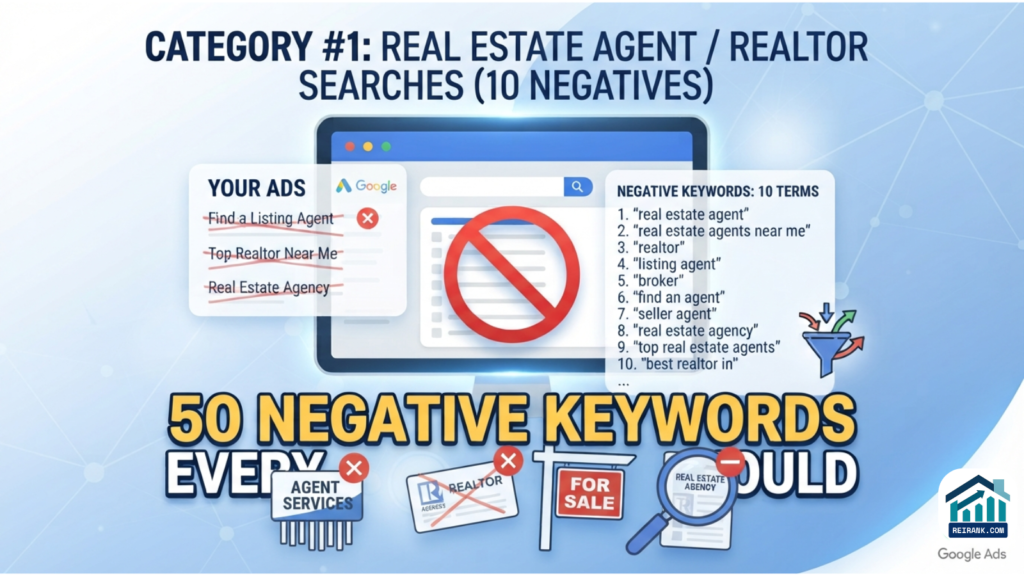
These searchers want a Realtor, not a cash buyer. Filter them out aggressively.
- Realtor
- Real estate agent
- Listing agent
- Buyer agent
- Real estate broker
- MLS
- Multiple listing service
- Real estate license
- Commission
- Agent commission
Category #2: Home value/appraisal research (8 negatives)
These researchers are researching home values, not selling. They convert poorly.
- Home value
- House value
- Home appraisal
- House appraisal
- What is my house worth
- Zillow estimate
- Redfin estimate
- Free home estimate
Category #3: Rental/tenant searches (8 negatives)
Rental seekers and tenants accidentally trigger ‘sell house’ keywords. Filter ruthlessly.
- Rent
- Rental
- For rent
- Apartments
- Tenant
- Landlord
- Lease
- Section 8
Category #4: DIY / FSBO research (6 negatives)
FSBO and DIY sellers want articles, not your cash offer.
- For sale by owner
- FSBO
- How to sell my house
- How to sell a house
- Selling tips
- Selling guide
Category #5: Job/career searches (6 negatives)
‘House buyer jobs’ and ‘real estate careers’ searches eat up your budget if you don’t filter.
- Jobs
- Job
- Salary
- Career
- Hiring
- Employment
Category #6: Investor/wholesaling research (6 negatives)
Other investors and aspiring wholesalers will click your ads to research the category. They don’t sell; they study.
- Wholesale
- Wholesaling
- Investor
- Real estate investing
- REI
- Fix and flip
Category #7: Free/cheap / low-intent (6 negatives)
‘Free’ searches rarely convert in this category.
- Free
- Cheap
- Diy
- Templates
- Examples
- Courses
How to implement the list: The 50 Negative Keywords Every Cash Buyer Should Add to Google Ads

In your Google Ads account, go to: Tools → Negative keyword lists. Create one called ‘Master Negatives — Cash Buyer.’ Paste all 50 keywords as phrase match (the default; that’s fine for this list). Apply the list at the campaign level for every campaign in your account.
Phrase match means Google will exclude any search that contains the exact phrase in order. So ‘real estate agent’ as a negative blocks ‘how to find a real estate agent,’ ‘best real estate agent near me,’ and any other variation. That’s the behavior you want.
The ongoing maintenance — where most wholesalers fail
Adding 50 negatives on day one is the easy part. The discipline is to review your search terms report every week and add new negatives based on actual wasted spend.
Open Google Ads → Keywords → Search terms. Filter to clicks > 0, conversions = 0. Sort by spend descending. Any query that’s spent $20+ with no conversions is a candidate for negation. Some you’ll add as exact-match negatives (a specific phrase that’s a one-off); most you’ll add as phrase-match (to block the pattern).
Make this a 15-minute weekly habit. Wholesalers who do this consistently see their CPL drop by 5-10% every month for the first year, compounding savings that fund more aggressive bidding on real, motivated-seller terms.
Don’t over-negate
Two cautions. First: don’t negate keywords that occasionally surface inside high-intent queries. ‘House’ alone would be too broad — it blocks ‘sell my house fast’ and every other valid term. Always negate phrases, not single words that anchor your category.
ALSO READ: Best Ways to Find and Fix SEO Problems on Investor Websites
Second: review your negative list monthly. Sometimes a market shifts, and a term that used to be junk starts converting. Pull anything from your list that hasn’t been triggered in 90 days and re-evaluate.
The full list as a downloadable
We’ve packaged this list plus 50 more (200+ total, organized by category) as a free download. Get it at the consultation link below — it’s free, no credit card required. Apply the full list to any Google Ads account and watch what stops getting clicked.
Start with a free consultation today. Here
If you’d rather have REIRank manage the entire negative-keyword discipline on an ongoing basis — weekly search-terms report review, new negatives applied, performance reporting — that’s part of every managed Google Ads engagement we run. Free audit at the link.